
Interior Surface Refinishing

Generated palette illustration. Exact project colors shown above.
GrokWatch. Put Grokbot on your wrist.
OOG built ISR’s service website, request forms and operating documents, then extended hands-on access with GrokWatch: Android watch and phone apps for push-to-talk use of the team’s existing Grokbot.
OOG’s contribution: Service website, owner/resident and remodel intake, operating workflows and controlled document templates, plus GrokWatch Android watch/phone apps, voice interaction and reply handling.
Interior Surface Refinishing connects Bay Area property owners and residents with property-care and remodel coordination services. The work combines a service website, owner and resident request forms, document templates and operating guidance. GrokWatch extends access to the team’s existing Bot through push-to-talk Android watch and phone apps. The operating package includes structured intake, trackers and review instructions, and a controlled library of estimates, invoices, change orders, field scopes, owner reports and letters. GrokWatch is a separate companion within the same ISR project scope: the watch captures a spoken question, the phone handles the existing-Bot connection, and the watch presents its correlated reply.
Service inquiries, operating information and hands-on work need practical ways to stay connected.
What we built
Website · Interface design · Document design
A direct service identity supports a practical path from inquiry to delivery. The public website connects with intake routes, working document templates and a workspace pipeline for organizing the business behind the service. The website uses the native ISR house-and-roller identity, Avenir Next typography and a charcoal/cream service layout. Operational documents have their own controlled template system; the watch and phone interfaces keep connection, request and reply states visible while preserving the Bot’s normal action approvals.
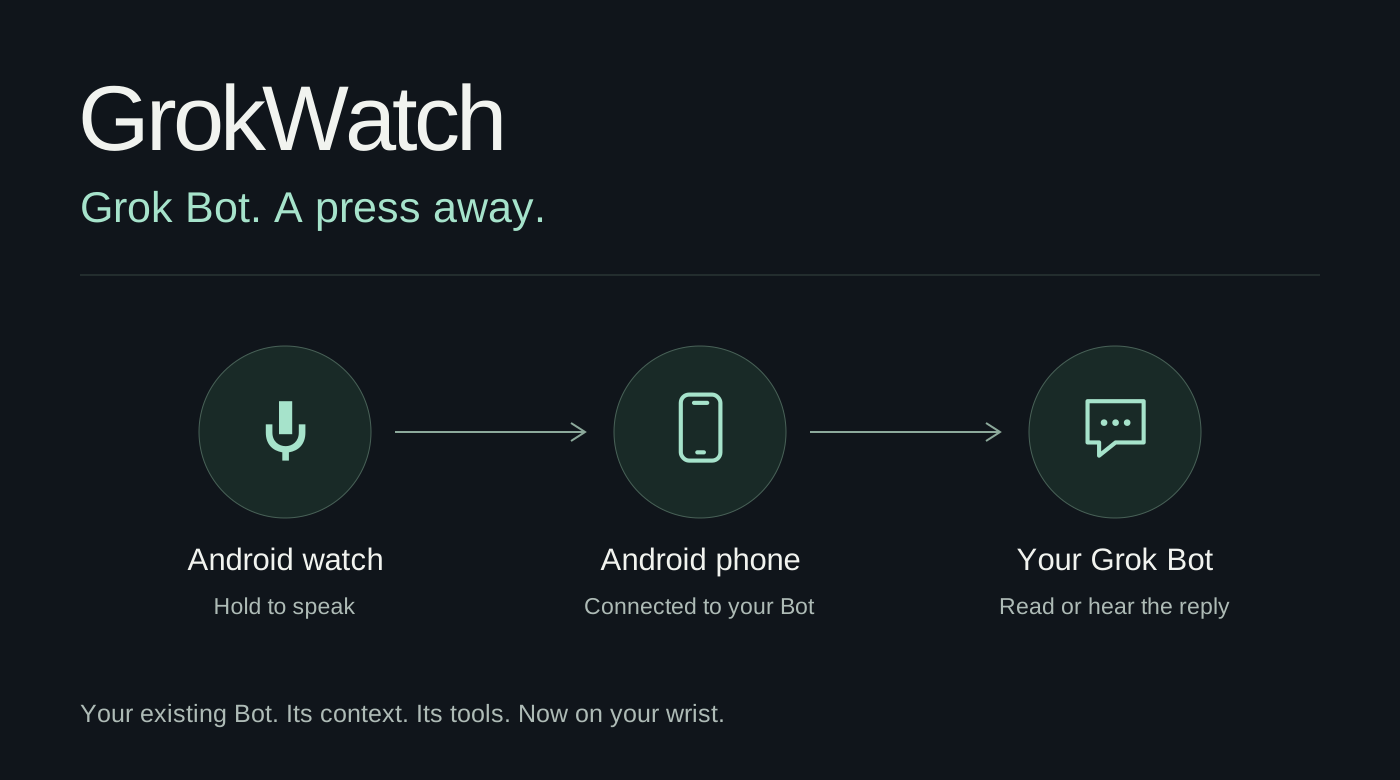
Push to talk from the watch, connect through Android and read or hear the reply from the same Grok Bot.
- Service pages & customer intake
- Workspace pipeline & operating guidance
- Document templates
- GrokWatch push-to-talk watch & phone apps
- Owner, resident, prospect and remodel request journeys
- Controlled estimate, invoice, change-order and report templates
- Reviewed document queue and calculation rules
- Watch reply correlation, text/audio choices and phone connection UI
A request starts with the right information.
The service website separates the public offer from the intake task. Owner and resident request routes collect the context for property-care work; reusable document templates and operating guidance support what happens after the inquiry.
Hold. Speak. Keep moving.
GrokWatch adds push-to-talk access to the existing Bot through Android watch and phone apps. A question can be spoken on the watch and its answer read or heard there, extending the project from service administration into hands-on work.
Documents follow reviewed facts.
A controlled library covers estimates, invoices, change orders, field scopes, owner reports and letters. The source workflow maps reviewed Sheet fields into existing masters, checks required information and approval state, recomputes transaction totals and prepares Google Docs/PDF outputs. Document generation and external release remain separate steps.
A route for each kind of request.
The website separates owner enquiries, resident maintenance, prospect and remodel requests, and monthly owner reporting. Source pipeline assets organize Forms, response Sheets, trackers and an intake queue so an operator can review the context and next action. Human decisions remain part of the operating model.
One Bot, with a watch and phone interface.
GrokWatch uses Android watch speech input and the Wear Data Layer to reach the phone. The phone manages the existing Bot connection; reply handling correlates requests and offers text or spoken playback on the watch. Phone controls cover Bot selection, sign-in, renewal and connection management. The app extends the team’s existing workflow rather than substituting a separate assistant.